 Backup My AI Chat
Perplexity
How to export Perplexity threads to PDF, Markdown or Word
Perplexity is the one AI service here with a built-in file export: a thread's Export button saves it as PDF, Markdown or DOCX. What it lacks is a way to keep every thread as a file without clicking through them one by one. Backup My AI Chat exports the open thread in one click and, with Auto-save, keeps all of your threads as Markdown files in a folder, sources included.
Perplexity's options at a glance
| Option | Covers | You get | Main limit |
|---|---|---|---|
| Thread Export button | One thread | PDF, Markdown or DOCX | One thread at a time, by hand |
| Share link | One thread | A public page | Not a file |
| Account data export | Your whole account | A ZIP by email | Described in Perplexity's community forum rather than its help centre |
| Backup My AI Chat | One thread, or all of them | PDF, Word, Markdown, text, JSON or image; Markdown files kept up to date | Desktop Chrome and Edge only |
Perplexity's own export
Open a thread and use its Export button. Perplexity's help centre says it exports the answer to the session as PDF, Markdown or DOCX (Perplexity: what is a thread). This is the best built-in export of any service on this site, and if you need one thread as a file now, use it.
Its limit is the one every manual export has: it covers the thread you are looking at. A research habit that produces ten threads a day needs ten exports a day, and nothing tells you which ones you have already saved.
Account data export
Perplexity users describe an "Export my data" option that sends a ZIP by email (Perplexity community thread, September 2026). We could not find it in Perplexity's help centre, so check your settings for the current wording. If it exists for your account, it is a complete raw copy and worth keeping, but it is data rather than documents, and it does not update itself.
One thread as a file, with Backup My AI Chat
- Add Backup My AI Chat to Chrome or Edge and open the thread on perplexity.ai.
- Press Export and choose PDF, Word, Markdown, text, JSON or image.
- To keep only some turns, open Custom Export and tick the ones you want.
Headings, lists, tables, code blocks and links keep their formatting. Files are made in your browser; nothing is uploaded.
Every thread, kept in a folder
Auto-save writes each Perplexity thread to a folder as a Markdown file and keeps it current. For Perplexity it saves your questions, the answers, and a numbered list of the sources each answer cited, so the references survive with the text.
- Open Backup My AI Chat from the browser toolbar and go to Auto-save chats to a folder.
- Under Folder, choose a folder on your computer. Chrome asks once whether the extension may edit files in that folder. Auto-save writes nowhere else; one-off exports go to your Downloads folder.
- Under Accounts, tick the services to include. Each one shows whether you are signed in.
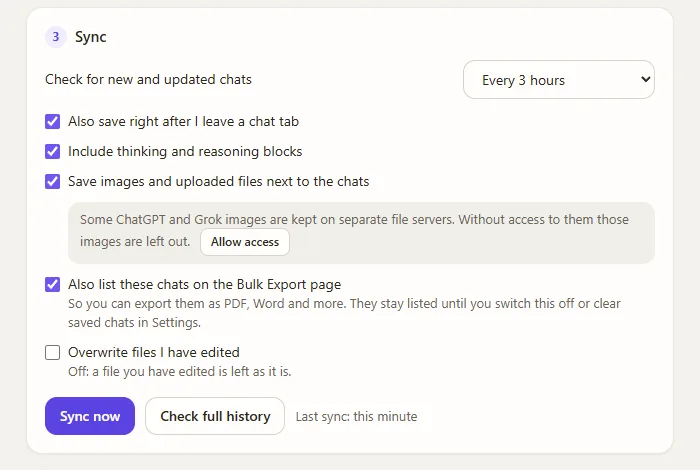
- Under Sync, pick how often to check for new and updated chats, then press Sync now. The first run saves your whole history; later runs save only what changed. A service is synced a few chats at a time, and if a site answers "too many requests" the extension slows down for that service rather than failing.
Perplexity threads go into a Perplexity subfolder, next to the folders for your other assistants. Each file is ordinary Markdown whose header lists title, source, conversation id, link, created, updated, model, message count and tags, followed by the conversation with one heading per message.
Limits to know
Questions
Can Perplexity export a thread to PDF?
Yes. Perplexity's own Export button saves a thread as PDF, Markdown or DOCX. Backup My AI Chat adds text, JSON and image, lets you pick individual turns, and can save every thread automatically.
Can I export all my Perplexity threads at once?
Not with the thread Export button, which works one thread at a time. Auto-save in Backup My AI Chat saves every thread in your account as a Markdown file on its first run, then keeps the folder current. Bulk Export then turns the saved threads into PDF or Word files.
Are the sources kept?
Yes. Auto-saved Perplexity files end each answer with a numbered list of the sources it cited.
Does it work with Perplexity Spaces or Pages?
Backup My AI Chat works with threads. If you rely on Spaces or Pages, check what the export contains before you depend on it.